From: "Gamma" <hello@gamma.app>
To: yoyohoney@withoutemail.com
Date: 2026-08-18T02:30:45.000Z
GAMMA
96
/* What it does:Prevents Gmail from displaying a download button on large, non-linked images. */
.g-img + div {
display: none !important;
opacity: 0.01 !important;
}
/* iOS, Gmail, and Samsung LINK FIX */
u + .body .blueLinks a {
color: inherit !important;
text-decoration: none !important;
font-size: inherit !important;
font-family: inherit !important;
font-weight: inherit !important;
line-height: inherit !important;
}
a[x-apple-data-detectors] {
color: inherit !important;
text-decoration: none !important;
font-size: inherit !important;
font-family: inherit !important;
font-weight: inherit !important;
line-height: inherit !important;
}
#MessageViewBody .blueLinks a {
color: inherit !important;
text-decoration: none !important;
font-size: inherit !important;
font-family: inherit !important;
font-weight: inherit !important;
line-height: inherit !important;
}
.blueLinks a {
color: inherit !important;
text-decoration: none !important;
}
body * {
mso-hyphenate: none !important;
hyphens: none !important;
word-break: normal !important;
}
/* Display classes */
.display-block{display:block !important;}
.mobile-hide {display: block !important;}
.mobile-show {display: none !important; overflow: hidden !important; max-height: 0 !important;}
@media screen and (max-width: 600px) {
h1 {
font-size: 40px !important;
line-height: 42px !important;
}
h2 {
font-size: 38px !important;
line-height: 40px !important;
}
h3 {
font-size: 20px !important;
line-height: 22px !important;
}
h4 {
font-size: 18px !important;
line-height: 20px !important;
}
.two-col .column {
max-width: 100% !important;
margin-left: 0 !important;
margin-right: 0 !important;
}
.column img {
max-width: 100% !important;
height: auto !important;
}
.mt-20 {
margin-top:20px !important;
}
.mb-20 {
margin-bottom:20px !important;
}
.mlr-0 {
margin-left:0 !important;
margin-right:0 !important;
}
.mlr-6p {
margin-left:6% !important;
margin-right:6% !important;
}
.ta-c {
text-align: center !important;
}
.h-reset {height:initial !important;}
.w-28p {width:28% !important;}
.w-72p {width:72% !important;}
.w-80p {width:80% !important;}
.w-90p {width:90% !important;}
.hide, .mobile-hide {
display:none !important;
}
.mobile-show {
display: block !important;
font-size:initial !important;
line-height:initial !important;
max-height:initial !important;
mso-hide:none !important;
margin: 0 auto !important;
}
}
body, h1, h2, h3, h4, h5, h6 p, a {
mso-hyphenate: none !important;
font-family: 'Segoe UI', 'Helvetica Neue', Helvetica, Arial,sans-serif !important;
}
/*Force a font fallback to Arial*/
table, tr, th, td {
border-collapse: collapse;
border-spacing: 0;
mso-table-lspace: 0pt !important;
mso-table-rspace: 0pt !important;
font-family: 'Segoe UI', 'Helvetica Neue', Helvetica, Arial,sans-serif !important;
}
h1, h2, h3, h4, h5, h6 p, a {
font-family: 'Segoe UI', 'Helvetica Neue', Helvetica, Arial,sans-serif !important;
}
sup {
font-size: 100% !important;
}
.buttonlink {
background: transparent !important;
}
.keep-white {
mso-style-textfill-type:gradient;
mso-style-textfill-fill-gradientfill-stoplist:"0 \#fefefe 0 100000\,100000 \#fefefe 0 100000";
color: #000000 !important;
}
.keep-black {
mso-style-textfill-type:gradient;
mso-style-textfill-fill-gradientfill-stoplist:"0 \#000000 1 100000\,99000 \#000000 1 100000";
color: #fefefe !important;
}
Get started in 3 simple steps. ͏ ͏ ͏ ͏ ͏ ͏ ͏ ͏ ͏ ͏ ͏ ͏ ͏ ͏ ͏ ͏ ͏ ͏ ͏ ͏ ͏ ͏ ͏ ͏ ͏ ͏ ͏ ͏ ͏ ͏ ͏ ͏ ͏ ͏ ͏ ͏ ͏ ͏ ͏ ͏ ͏ ͏ ͏ ͏ ͏ ͏ ͏ ͏ ͏ ͏ ͏ ͏ ͏ ͏ ͏ ͏ ͏ ͏ ͏ ͏ ͏ ͏ ͏ ͏ ͏ ͏ ͏ ͏ ͏ ͏ ͏ ͏ ͏ ͏ ͏ ͏ ͏ ͏ ͏ ͏ ͏ ͏ ͏ ͏ ͏ ͏ ͏ ͏ ͏ ͏ ͏ ͏ ͏ ͏ ͏ ͏ ͏ ͏ ͏ ͏ ͏ ͏ ͏ ͏ ͏ ͏ ͏ ͏ ͏ ͏ ͏ ͏ ͏ ͏ ͏ ͏ ͏ ͏ ͏ ͏ ͏ ͏ ͏ ͏ ͏ ͏ ͏ ͏ ͏ ͏ ͏ ͏ ͏ ͏ ͏ ͏ ͏ ͏ ͏ ͏ ͏ ͏ ͏ ͏ ͏ ͏ ͏ ͏ ͏ ͏ ͏ ͏ ͏ ͏ ͏ ͏ ͏ ͏ ͏ ͏ ͏ ͏ ͏ ͏ ͏ ͏ ͏ ͏ ͏ ͏
-->
͏ ͏ ͏ ͏ ͏ ͏ ͏ ͏ ͏ ͏ ͏ ͏ ͏ ͏ ͏ ͏
Blink and you’ll make something great.
Hi Honey singh,
Turn your ideas into a ready-to-share thing of beauty in a snap. Gamma creates content, visuals, and inspiration. Every presentation will be polished and professional.
Create wow in 3 easy steps
Step 1
Pick your path
Start by pasting, generating or importing content. Gamma will create beautiful visual content in seconds.
Step 2
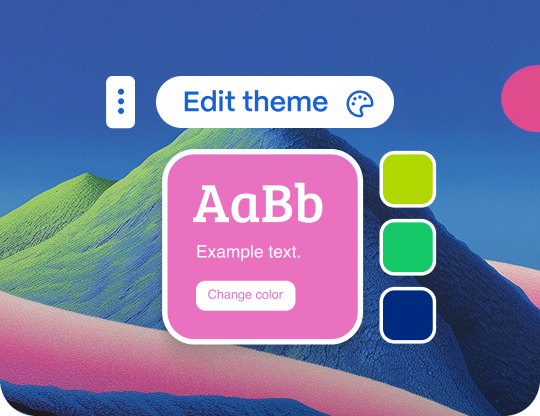
Shape your content
Edit with AI-powered tools to shape your creation without ever having to start from scratch.
Step 3
Share the magic
Share your doc, deck, or website withothers via link with customizable access controls. Export to PPT, PDF, or Google Slides.
Go create
See You Soon
Team Gamma
View online Unsubscribe
2261 Market Street #4544 San Francisco, CA 94114https://gamma.app/
© 2026 Gamma Tech, Inc., All rights reserved.