LaunchBox 13.25 and 13.26: A Community-Powered Update
#outlook a {
padding: 0;
}
body {
margin: 0;
padding: 0;
-webkit-text-size-adjust: 100%;
-ms-text-size-adjust: 100%;
}
table,
td {
border-collapse: collapse;
mso-table-lspace: 0pt;
mso-table-rspace: 0pt;
}
img {
border: 0;
height: auto;
line-height: 100%;
outline: none;
text-decoration: none;
-ms-interpolation-mode: bicubic;
}
p {
display: block;
margin: 13px 0;
}
96
.mj-outlook-group-fix { width:100% !important; }
@import url(https://fonts.googleapis.com/css?family=Open+Sans:400,400i,600,600i,700,700i);
@import url(https://fonts.googleapis.com/css?family=Ubuntu:300,400,500,700);
@media only screen and (min-width:480px) {
.mj-column-per-100 {
width: 100% !important;
max-width: 100%;
}
.mj-column-px-114 {
width: 114px !important;
max-width: 114px;
}
.mj-column-per-80 {
width: 80% !important;
max-width: 80%;
}
.mj-column-per-50 {
width: 50% !important;
max-width: 50%;
}
}
.moz-text-html .mj-column-per-100 {
width: 100% !important;
max-width: 100%;
}
.moz-text-html .mj-column-px-114 {
width: 114px !important;
max-width: 114px;
}
.moz-text-html .mj-column-per-80 {
width: 80% !important;
max-width: 80%;
}
.moz-text-html .mj-column-per-50 {
width: 50% !important;
max-width: 50%;
}
@media only screen and (max-width:479px) {
table.mj-full-width-mobile {
width: 100% !important;
}
td.mj-full-width-mobile {
width: auto !important;
}
}
.wrapper {
max-width: 100% !important;
width: 100%;
background: linear-gradient(180deg, rgba(196, 98, 245, .2) 0%, rgba(196, 98, 245, 0) 600px);
}
.container {
max-width: 480px !important;
}
.cta {
border-radius: 32px;
background: linear-gradient(97deg, #3392FF 0%, #C158F5 100%);
}
:root {
color-scheme: light dark;
supported-color-schemes: light dark;
}
@media (prefers-color-scheme: ddark) {
.darkmode-text, .darkmode-text div, .darkmode-text a {
color: #FFFFFF !important;
}
}
-->
Faster editing, customizable sidebar, Game Progress Tracking, Home Screen Launcher Mode, and more
LaunchBox
LaunchBox 13.25/26 & Android 1.21
A big thank you wrapped in features
🖥️ LaunchBox for Windows (13.25 & 13.26): Faster editing flow, a fully customizable sidebar, platform documents, smarter progress automation, and thoughtful polish that makes your library feel calmer and smarter to use
📱 LaunchBox for Android (1.21): Game Progress Tracking, Home Screen Launcher Mode, easier platform syncing, better NAS management, expanded emulator support, and speed improvements you will feel right away
We wanted to send something that feels less like a product announcement and more like a thank you note.
These updates for LaunchBox for Windows and LaunchBox for Android are packed with improvements shaped directly by the community. Not just feature requests, but real conversations, real workflows, and real day-to-day use. We build LaunchBox because we use it, and we care deeply about making it better for everyone who loves organizing, playing, and preserving games as much as we do.
Grab a drink and let us walk you through what's new.
LaunchBox for Windows 13.25/26 🖥️
Less friction, more satisfaction
This update is all about flow. Editing games is faster and smoother thanks to Next and Previous navigation directly inside the Edit Game window, and it always follows your current filters and sorting. The sidebar is now fully customizable so it can match how you actually browse instead of forcing you into a layout that never quite felt right. Platform Documents give every system its own home for your own documents, like manuals and guides, turning your collection into something that feels curated and personal rather than just stored.
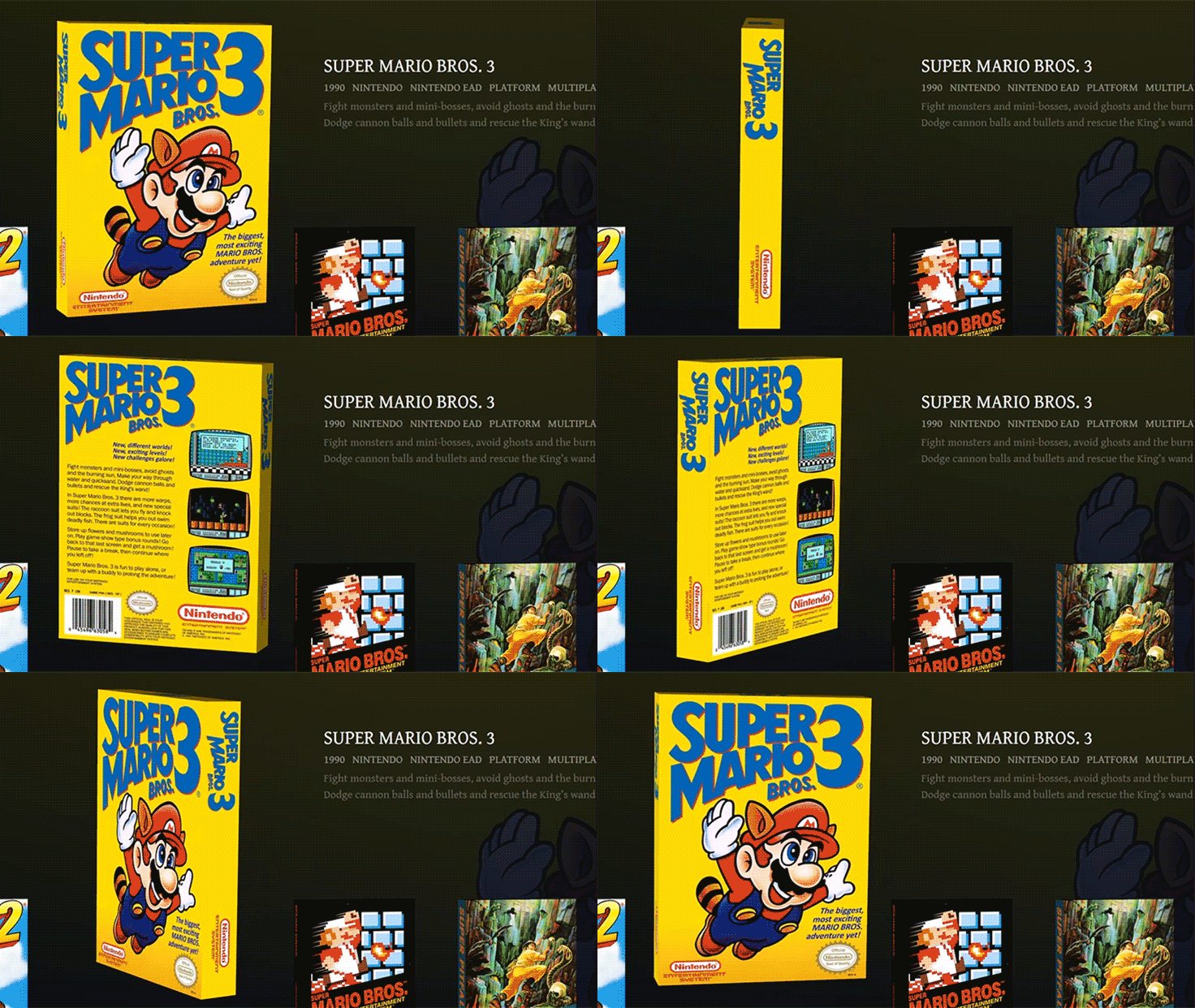
For those who love fine-tuning, there's plenty more to enjoy. Bulk editing star ratings makes rating large libraries painless, while 3D model rotation locks give you just the right amount of control when viewing box art. Updating emulators is now a single-click affair, deleting games can optionally clean up associated media instantly, and progress automation finally respects custom progress values like Want to Play. Small touches on paper, but together they add up to a library that feels calmer, smarter, and more satisfying to use.
🔗 Read the full story behind this update
DOWNLOAD LAUNCHBOX FOR WINDOWS
LaunchBox for Android 1.21 📱
Less loading, more playing
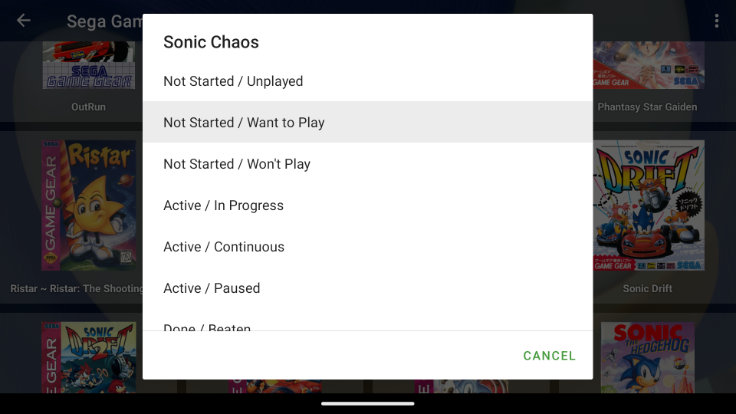
Android 1.21 is a big step forward in how your library lives on your device. Game Progress Tracking brings powerful organization tools that let you track, customize, and automate progress in a way that matches how you actually play. Home Screen Launcher Mode turns LaunchBox into a full console-style home experience, perfect for handhelds, TVs, or dedicated gaming setups. Platform Update Games makes it easy to keep your game library up-to-date with a single tap, cutting down on the need for manual imports.
Behind those headliners are a lot of thoughtful improvements that quietly make everything better. NAS management is now simpler and more resilient for network-based libraries, emulator support continues to grow with a big batch of new additions, and performance improvements dramatically reduce startup time for large collections. The app feels faster, smoother, and more reliable, which is exactly how it should feel when you just want to pick a game and play.
🔗 Dive deeper into everything new on Android
DOWNLOAD LAUNCHBOX FOR ANDROID
Feeling curious? Want every last detail?
👉 Read the full Windows changelog 👉 Read the full Android changelog 📖 Read the full story behind Windows 13.25 📖 Read the full story behind Windows 13.26 📖 Read the full story behind Android 1.21
As always, we just want to say thank you. Thank you for the ideas, the feedback, the bug reports, the late night feature debates, and the passion that keeps LaunchBox moving forward. We are not building this for a community. We are building it with one.
We hope these updates make your setup feel a little more joyful. Enjoy!
The LaunchBox Team
UPGRADE TO LAUNCHBOX PREMIUM
Level Up With:
Big Box
Looking to show off your game collection? Building an arcade cabinet? Itching to play games on your TV? Big Box will blow you away with its customizable design, allowing you to create an eye-popping, unique setup that is sure to impress.
Startup, Shutdown, & Pause Themes
Get that polished feel while you navigate between your library and games. With full theming support, you can make them look exactly the way you want them to.
LaunchBox Custom Themes
Tired of the same old LaunchBox look? With LaunchBox Premium you can choose from multiple community-created themes or build your very own!
Gamepad Automation
Upgrade your gaming experience by removing the need for a keyboard and mouse. Controller automation features are built into LaunchBox and Big Box.
UPGRADE TO LAUNCHBOX PREMIUM
Happy gaming! The LaunchBox team
You received this email because you have indicated an interest in LaunchBox. If you no longer wish to receive these emails, please
Click here to unsubscribe from LaunchBox Updates.